Can My Drone Handle This Wind? The UK Pilot’s Real-World Guide to Gusts, Altitude, and RTH
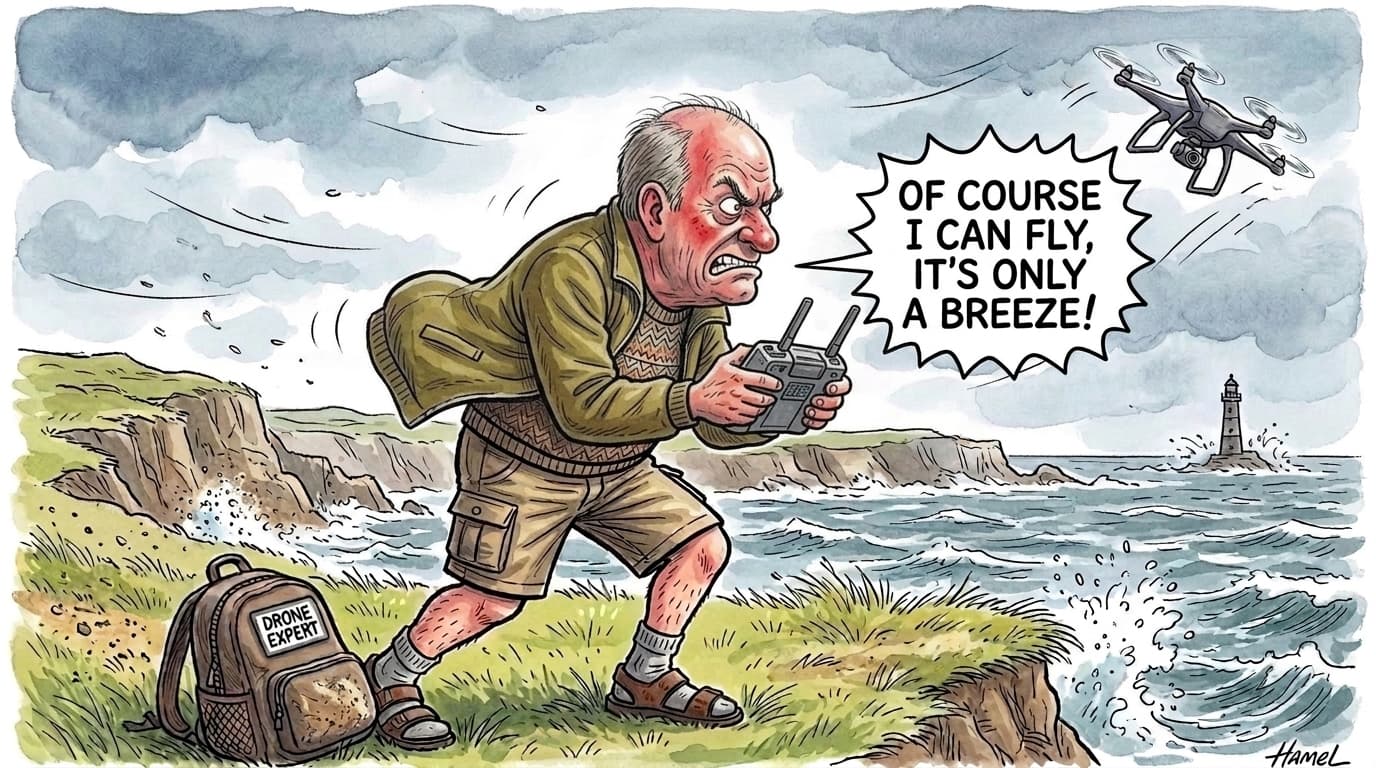
Our community mascot Richard (Dick to his friends) naturally thinks he knows best.
As you can see from our artwork above, Dick firmly believes that standing on a 40 mph windswept clifftop is fine because: "Of course I can fly, it's only a breeze!"
In the real world, however, British wind has a nasty habit of turning a relaxed morning flight into a white-knuckle emergency.
Every drone pilot in the UK has experienced that sudden, stomach-dropping moment. You pull up to a scenic hillside, coastal path, or country park. Behind the shelter of the tree line or hedgerow, the air feels crisp, calm, and manageable.
You place your drone on the grass, take off, and climb up to 300ft to frame the shot.
And within ninety seconds, your controller starts beeping aggressively. A familiar amber warning appears on your screen:
High wind speed detected. Automatically adjust gimbal attitude to ensure flight safety.
And if the gusts pick up, that amber prompt quickly escalates into the dreaded red status banner:
Strong wind warning. Aircraft unable to return to home automatically. Lower altitude immediately and return to home manually.
Suddenly, your peaceful morning flight turns into a white-knuckle fight against the elements, watching your drone struggle to hold position while the battery percentage drops like a stone.
Wind is the single most common cause of drone flyaways, emergency landings, and water crashes across the UK. But why does it catch so many pilots out?
The answer comes down to confusing manufacturer jargon, hidden altitude gradients, and the counter-intuitive physics of the British weather.
Decoding the Spec Sheet: What Does '10.7 m/s' Actually Mean?
If you check the official manual for almost any drone, the manufacturer will proudly state its maximum wind resistance in metres per second (m/s) or abstract Beaufort Scale levels:
- "Wind Resistance: Level 5 (10.7 m/s)"
- "Wind Resistance: Level 6 (12 m/s)"
Unless you are a marine meteorologist, this information is completely useless on a chilly morning in Yorkshire.
In the UK, we drive in miles per hour, our road signs are in miles per hour, and the Met Office forecasts in miles per hour. Asking a pilot to convert 10.7 m/s into real-world driving speeds while their drone is rocking back and forth in the sky is ridiculous.
Here is what those ratings actually look like in real UK miles per hour (mph):
| Drone Model | Weight | Official Spec | Real Limit (mph) | What That Means in the UK |
|---|---|---|---|---|
| DJI Neo | ~135g | Level 4 (8 m/s) | ~18 mph | Light park breeze only. Anything stronger than gently rustling leaves and it will fight for its life. |
| DJI Mini Series (4 Pro / 5) | < 249g | Level 5 (10.7 m/s) | ~24 mph | Incredible for a sub-250g drone, but at 24 mph it is tilted at full motor pitch just to hover still. One gust and it drifts backwards. |
| DJI Air 3 / Air 3S | ~720g | Level 6 (12 m/s) | ~27 mph | Much heavier airframe with powerful motors. Slices through gusty coastal breezes where a Mini gets tossed around. |
| DJI Mavic 3 / Mavic 4 | ~900g+ | Level 6+ (12–15 m/s) | ~27 – 34 mph | The heavyweight workhorse. Large propellers and serious torque authority that rarely flinches in normal British weather. |
Here is the critical detail most people overlook: a 24 mph rating does not mean you can fly comfortably in 24 mph wind.
It represents the outer edge of what the flight controller and gimbal can safely stabilise. In a steady 24 mph wind in standard flying mode, the drone has to tilt so aggressively into the gale just to hold position that your forward progress slows to a crawl—leaving virtually zero margin to manoeuvre, fight an unexpected gust, or make it home before the battery drains.
The Two Sneaky Traps That Catch Pilots Out
Even when pilots check the forecast, they regularly get caught out by two distinct meteorological traps.
1. The UK Gust Factor (Why a '15 mph' Day Kills Drones)
Manufacturers test wind resistance in smooth, continuous, laminar wind tunnels.
The UK does not have laminar wind tunnels; the UK has squalls, coastal turbulence, and unpredictable gusts.
When a weather forecast says the wind is 14 mph, that is merely the sustained average. In the UK, a 14 mph base wind almost always comes with gusts of 25–28 mph.
Motor authority is governed by hard physics. If you are flying a DJI Mini (rated to 24 mph) on a seemingly gentle 14 mph morning, the moment a 28 mph gust slams into the airframe, the drone is physically overpowered. It cannot hold position, the gimbal begins to shudder, and the aircraft starts drifting downwind.
2. The 400ft Wind Gradient (The Altitude Trap)
The second trap is the atmospheric boundary layer.
Down on the ground, surface friction—hedgerows, houses, trees, hills, and fences—slows the wind down significantly. You might stand in a park feeling a pleasant 8 mph breeze against your face.
But as you ascend towards the legal 120m ceiling (~400ft above the surface), the friction disappears. Up in clean air, wind speeds are frequently double or triple what you feel on the grass:
⚠️ The Altitude Multiplier
- Ground Level (10m): 10 mph breeze (Feels calm, perfect flying weather)
- 200ft (60m): 18–20 mph wind (Drone starts working hard)
- 400ft (120m): 26–30 mph wind with 35 mph gusts (Exceeds maximum motor resistance for sub-250g drones)
Standard consumer weather apps (like Apple Weather or BBC Weather) only report surface wind measured at 10 metres. They are completely blind to the wind shear waiting for your drone at 400ft.
The Return-to-Home (RTH) Ambush
This is the scenario that accounts for the vast majority of lost drones in the UK.
- The Downwind Trap: You take off and fly with the wind. Riding a tailwind, your drone feels like a rocket ship, hitting 35 mph effortlessly while sipping very little battery power. Pilots often let the tailwind carry them several hundred metres downwind within their visual line of sight without a care in the world.
- The Low Battery Alert: At 25% battery, your drone sounds a warning and initiates automatic Return-to-Home (RTH).
- The Fatal Climb: By default, your failsafe RTH altitude is set to 80m or 100m to clear tall trees. The drone stops, turns around, and climbs directly into the strongest, most violent wind layer in the sky. As the motors max out against the headwind, your screen flashes red: "Aircraft unable to return to home automatically. Lower altitude immediately and return to home manually."
- Flying Backwards: In standard RTH or Normal mode, your drone's forward cruise speed is capped (typically around 24–27 mph). Fighting an unexpected 32 mph headwind, the aircraft simply cannot generate enough forward ground speed to make headway. Even on full forward stick, the drone is physically creeping backwards away from you.
- Forced Landing: The battery drains rapidly fighting the gale, hits critical voltage, and the drone enters a forced emergency landing into whatever lies beneath it—usually a river, dense woodland, or the sea.
The UK Pilot’s Wind Checklist: How to Fly Smart
You don't need to leave your drone in its case every time British weather acts up. You just need to follow four golden rules:
1. Always Fly Into the Wind First (Upwind)
Before you launch, check the wind direction. Always begin your flight by flying into the wind.
If your drone struggles to make forward progress, you will discover it 50 metres away while you still have 95% battery. And more importantly, when you turn around to come home on a low battery, the wind will push you back effortlessly.
2. Drop Altitude to Escape the Gale
If your drone is stuck fighting a headwind and the distance-to-home number is not decreasing, do not stay at 400ft.
Descend immediately. Drop down to 20m or 30m (making sure you remain safely above trees and power lines). Surface friction slows down the wind, making it vastly easier for your drone to push forwards.
3. Cancel Auto-RTH and Fly Home in Sport Mode
If you are caught fighting a headwind and the distance-to-home is not decreasing, cancel automatic RTH, drop altitude manually, and switch to Sport Mode to fly it home on the sticks.
In Normal mode or during automated RTH, the flight controller intentionally limits pitch angle and motor authority to maintain smooth flight and keep obstacle sensors active. Switching to Sport Mode unlocks full motor power and allows you to pitch the aircraft aggressively forward into the wind.
⚠️ Safety note: Switching to Sport Mode disables forward and backward obstacle sensing (APAS) on almost all consumer drones, while braking distances increase considerably. Keep a generous visual buffer from tree lines, lampposts, and structures as you manually guide it home.
4. Check 400ft Telemetry Before Takeoff
Never rely purely on surface weather apps. Always check forecasts that specifically calculate the atmospheric boundary layer wind gradient and gusts at 400ft / 120m, rather than standard 10-metre ground readings.
(At QuickSpotCheck, this is why our Weather engine calculates the atmospheric wind gradient and gust forecasts specifically at 400ft altitude, so you know exactly what conditions look like at your flying ceiling before you ever arm your motors).
Fly Smart, Stay Safe
There is an old aviation saying: "It is far better to be on the ground wishing you were in the air, than in the air wishing you were on the ground."
Don't be like Dick. Check your drone's real limits in miles per hour, respect the 400ft altitude gradient, and fly with complete peace of mind.