Support & How to Log an Issue
Found a map zone that doesn't look right, a strange NOTAM, or a glitch in the app? The fastest way to get it fixed is using the built-in Support Portal right inside QuickSpotCheck.
Flying in Europe? Read the European Roaming Guide
See how to use European Roaming, access live flight alerts, and check what the local drone rules mean in plain English across supported European countries.
How to Log Issues in the App
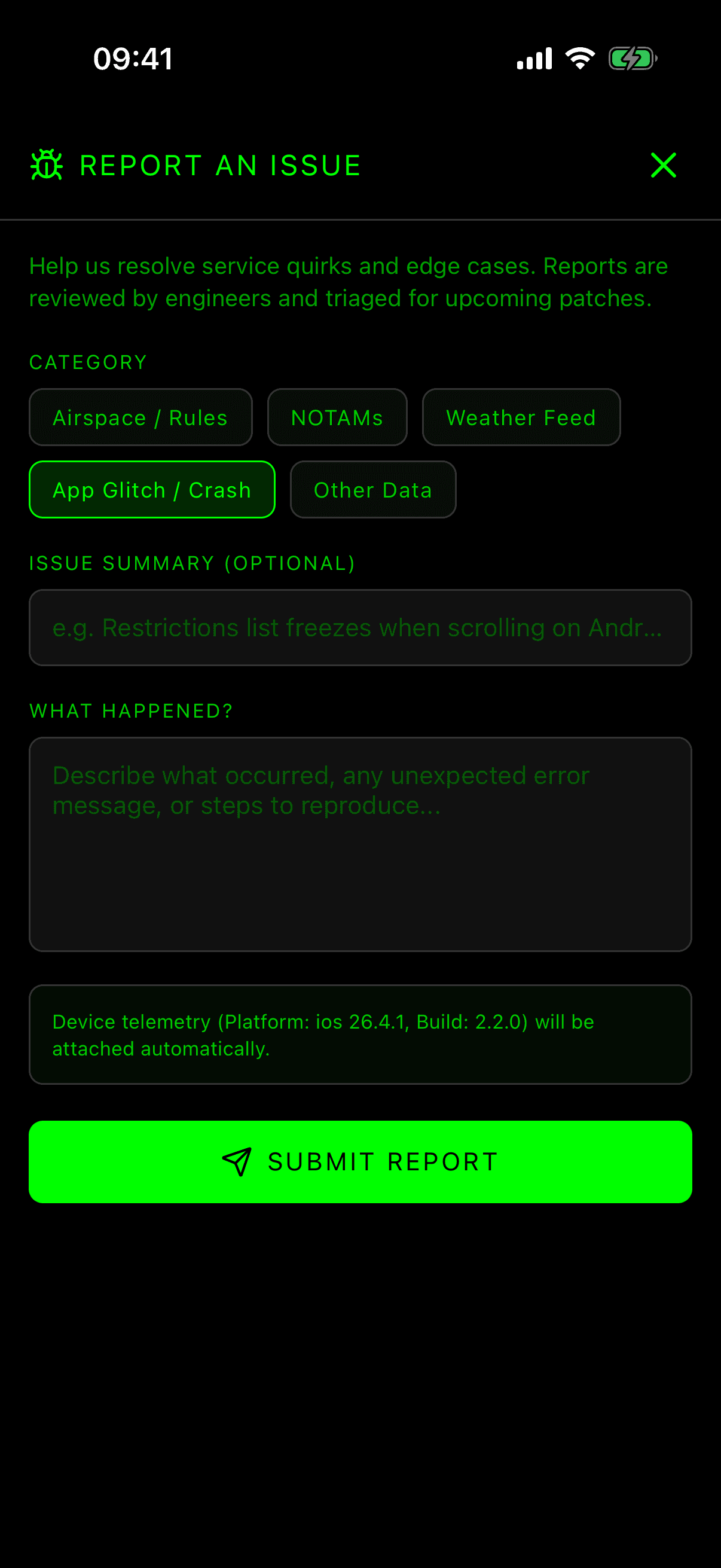
Every report sent from the app automatically attaches your phone model, iOS/Android version, and app build so it lands straight in our engineering queue without back-and-forth emails.
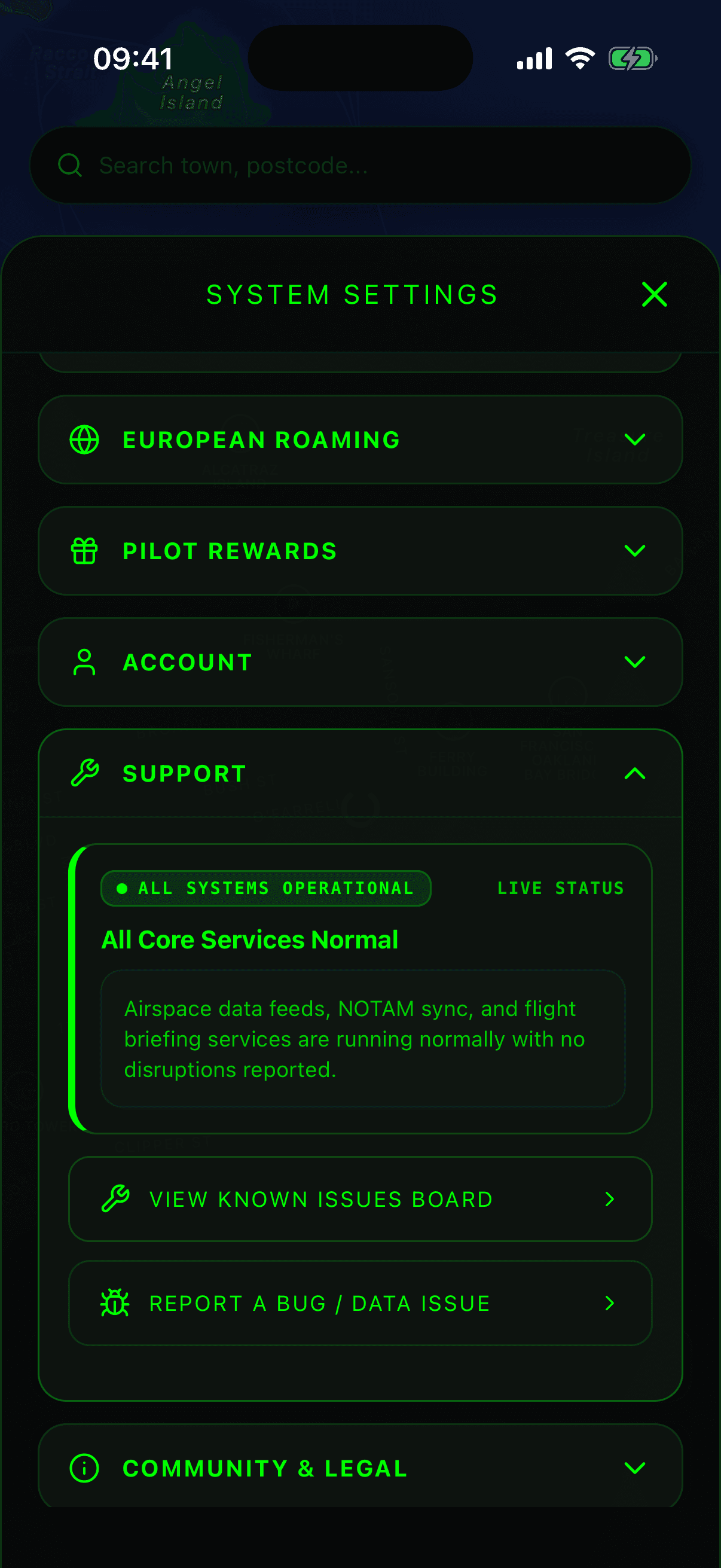
Open Settings → Support
Tap the gear icon on the map and scroll to Support. You'll see live feed status plus buttons for the Known Issues Board and Report a Bug / Data Issue.
Check Known Issues First
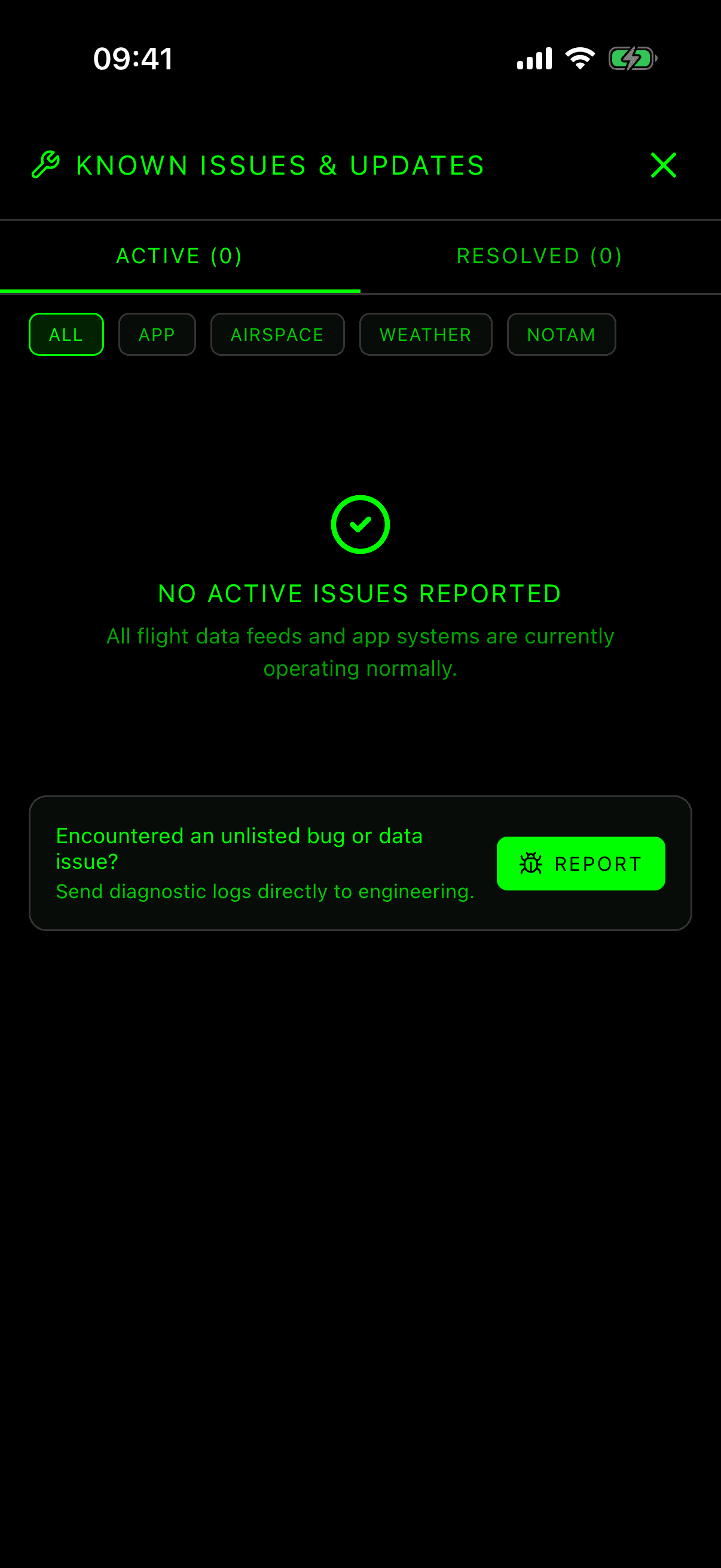
Tap View Known Issues Board to see active issues we're already fixing across the app, airspace feeds, weather, or NOTAMs — or tap Report from inside the board.
Submit Your Report
Choose a category (Airspace / Rules, NOTAMs, Weather Feed, App Glitch / Crash, or Other Data), describe what happened, and hit Submit Report.
Other Ways to Reach Us
Pilot Discord Community
Chat directly with us and other UK & European drone pilots, share screenshots, or ask questions about a flying spot.
Email Support
Need help with your account, Intelligence Pack subscription, or prefer sending screenshots by email? Drop us a message anytime.